
Mobile gaming platforms have become increasingly popular because they allow users to explore online gaming features directly from their smartphones. The Goa Game App is a search term that many users explore when looking for information about mobile access, account registration, login procedures, and available platform features.
Whether you are a new visitor or an existing user, understanding how the application works can make your experience more convenient. Before installing any application, it is important to check its source, understand its requirements, and review the platform’s terms and conditions.
In this guide, we will discuss the Goa Game application, its download process, account registration, login instructions, important features, and useful security tips.
What Is Goa Game App?
The GoaGame App refers to the mobile application associated with the Goa Game platform. Users searching for the application generally want to understand how to access the platform through a smartphone and explore its available services.
Mobile access can be convenient because users can visit supported features without always needing a desktop computer.
Before using the application, check whether it is compatible with your device and whether it is available through a verified distribution source. Avoid installing unknown APK files or applications from suspicious websites.
Goa Game App Download – How to Get Started?
Finding a genuine application source is an important part of the installation process. Users searching for Goa Game Download should verify the application’s authenticity before downloading any file.
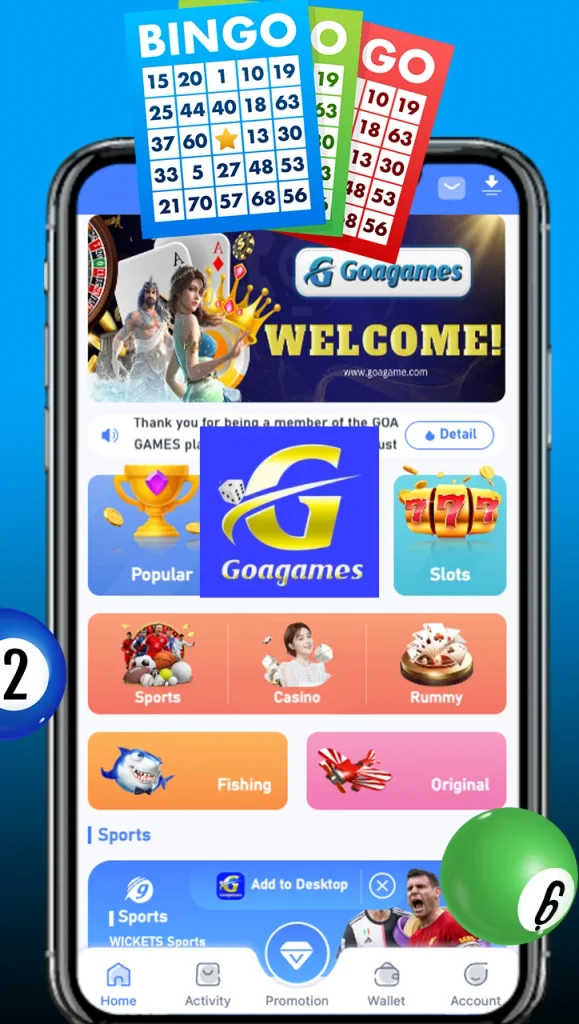
Follow these general precautions:
- Visit the platform’s verified website.
- Look for its official application download information, if available.
- Check whether the application supports your Android device.
- Review the requested permissions before installation.
- Download the application only from a trusted source.
- Follow the displayed installation instructions.
If an APK file is offered, verify that it comes from an authentic source. Do not disable your device’s security protections simply to install an unfamiliar application.
After installation, open the application and review the available account access options.
Goa Game App Registration – Create Your Account
New users may need to create an account before accessing account-specific features. Goa Game App Registration refers to the process of submitting the required information to establish an account.
Although the exact registration procedure may vary, the general steps can include:
- Open the verified application or website.
- Select the registration or sign-up option.
- Enter the information requested in the registration form.
- Provide your registered mobile number or other required contact details.
- Complete any available verification process.
- Review the terms and conditions before submitting your details.
Once registration is completed successfully, keep your account information secure.
Always provide accurate information and avoid sharing personal details with unofficial agents or third-party websites.
Goa Game App Login – Easy Account Access
After creating an account, existing users may use the login option to access their profiles.
The Goa Game App Login process generally requires the credentials associated with the registered account.
Here are the basic steps:
Step 1: Open the verified application or website.
Step 2: Locate the login option on the homepage.
Step 3: Enter your registered username, mobile number, or other requested credentials.
Step 4: Complete additional verification if required.
Step 5: Submit your information and wait for authentication.
If your details are successfully verified, you may be redirected to your account dashboard.
For security reasons, never share your password or one-time verification code with anyone.
Goa Game App Features – What Should Users Know?
Understanding the available features can help users become familiar with a mobile platform before using it.
The Goa Game App Features users may be looking for include different aspects of account access and mobile usability. However, the actual features should always be confirmed through the platform’s official information.
Some areas worth checking include:
1. Mobile-Friendly Access
A mobile-compatible platform can make navigation easier on smartphones. Users should check whether the application works properly on their device.
2. Account Management
Account management options may allow users to review their registered information and access available account settings.
3. Login and Verification
Supported authentication methods can help users access their accounts and protect personal information.
4. User Interface
A clear and simple interface can make it easier for new users to understand different sections of an application.
5. Support Information
Check whether the platform provides official assistance for account recovery, technical issues, and general questions.
6. Account Security
Review the platform’s privacy policy and security information to understand how personal details are handled.
Common Goa Game App Problems and Solutions
Sometimes users may experience difficulties while accessing a mobile application. Here are some common issues and possible solutions.
Application Not Opening: Restart your device and check whether an application update is available.
Login Not Working: Verify your account credentials and check whether additional authentication is required.
Slow Loading: Check your internet connection and switch between Wi-Fi and mobile data.
Installation Error: Confirm that your device meets the application’s requirements and that the installation file comes from a trusted source.
Verification Code Not Received: Check your registered contact details and network connection before requesting another code.
If the problem continues, use the platform’s verified support or account recovery options.
Important Safety Tips Before Using Goa Game App
Online account security should always be a priority. Follow these simple practices to protect your information:
- Download applications only from verified sources.
- Use strong and unique passwords.
- Never share your OTP or login credentials.
- Review application permissions before installation.
- Avoid suspicious promotional links.
- Keep your smartphone software updated.
- Read the platform’s terms and privacy policy.
- Check applicable local laws before participating in gaming or lottery-style activities.
Remember that gaming activities involving money can carry financial risks. Never treat them as a guaranteed source of income.
Conclusion
The Goa Game App is a topic of interest for users searching for information about mobile access, registration, login procedures, and application features.
Understanding the download process, creating an account correctly, and following the appropriate login instructions can make the experience easier to navigate. Read more about Jalwa Game and OK Win to explore their app guides, registration steps, and login instructions.
Whether you are exploring the application for the first time or looking for account access information, always use verified sources and follow the platform’s official instructions. Protect your personal information, review the applicable rules, and enjoy online entertainment responsibly.
Frequently Asked Questions (FAQ’s)
1. What is Goa Game App?
It refers to the mobile application associated with the Goa Game platform. Users search for it to learn about mobile access and available features.
2. How can I download Goa Game App?
Check the platform’s verified website for official download information, if available. Always verify the source before installing an application.
3. How does Goa Game App Registration work?
New users may need to enter the requested account details and complete any required verification steps.
4. How can I complete Goa Game App Login?
Open the verified application or website, enter your registered credentials, and complete any additional authentication requirements.
5. What should I do if Goa Game App is not working?
Check your internet connection, restart your device, and look for available updates. Contact official support if the issue continues.