
The Diuwin Game App is a mobile gaming platform that users may explore for its online gaming features and account options. If you are new to Diuwin, understanding the download process, account creation, and login steps can make getting started easier. Having the right information also helps users navigate the platform more confidently.
In this guide, we will cover Diuwin, Diuwin App Download, Diuwin account registration, and essential account-related information. Whether you are exploring the platform for the first time or looking for basic login guidance, this article will help you understand the process.
What Is Diuwin Game App?
Diuwin Game App is an online gaming platform that users can explore through its available mobile or web-based services. It provides an account-based experience where users may need to register before accessing certain features.
For new users, learning how the platform works is an important first step. Before creating an account, it is advisable to understand the available features, review the official platform information, and check the applicable terms and conditions.
Users should also remember that online gaming platforms may involve financial risks. Always check whether a service is legally available in your location and avoid spending money you cannot afford to lose.
Diuwin App Download: How to Get Started?
The Diuwin Games App Download process is an important part of getting started. Before installing any application, make sure you are accessing a legitimate source.
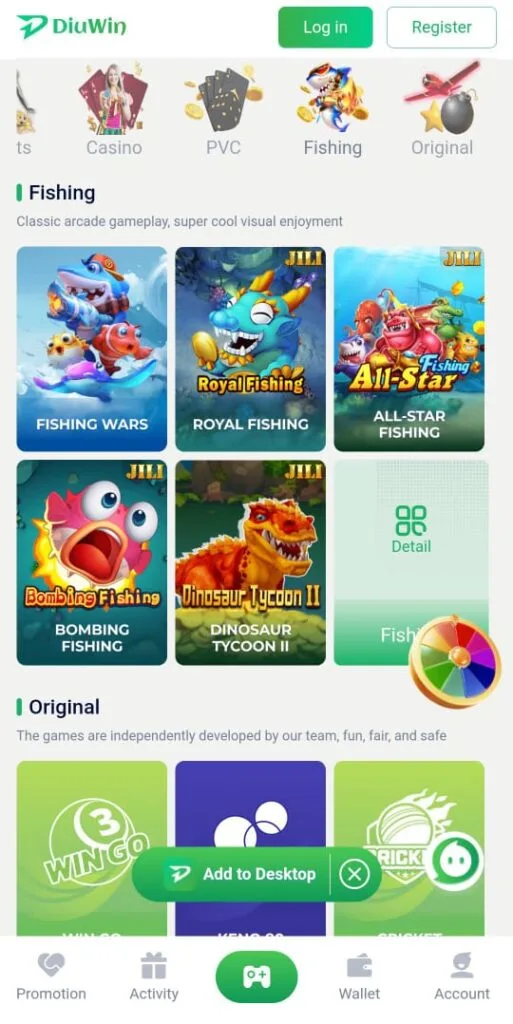
Follow these general steps:
- Visit the verified official Diuwin website, if available.
- Look for the application’s download information.
- Check whether the app supports your Android or iOS device.
- Review the requested permissions before installation.
- Download the application only from a trusted source.
- Follow the on-screen installation instructions.
If an APK file is offered, verify its source and authenticity before installing it. Avoid downloading files from unknown websites or clicking suspicious promotional links.
Important Things to Check Before Downloading
Before proceeding with the Diuwin App Download, consider these points:
- Official source: Confirm that the download page belongs to the legitimate service.
- Device compatibility: Check the operating system requirements.
- App permissions: Avoid granting unnecessary access to personal information.
- Security: Keep your device updated and use reliable security protection.
- Privacy: Read the platform’s privacy policy to understand how your information is handled.
These simple precautions can help make the installation process safer.
Diuwin Account Registration: Step-by-Step Guide
After understanding the download process, the next step is Diuwin account registration. Registration generally allows users to create personal login credentials and access account-related features.
Here is a general registration process:
Step 1: Open the Official Platform
Visit the verified Diuwin platform using your browser or the installed application, if available.
Step 2: Find the Registration Option
Look for the Sign Up or Register option on the homepage. Select it to view the account creation instructions.
Step 3: Enter the Required Information
Provide only the information requested by the legitimate platform. Make sure your details are accurate and avoid sharing unnecessary personal information.
Step 4: Complete Verification
If the platform requires mobile number, email, or another verification method, follow the official instructions.
Step 5: Create Secure Login Credentials
Choose a strong and unique password. Never use the same password across multiple websites.
Step 6: Review Your Account Details
Before completing registration, review the information and applicable terms. Do not proceed if anything appears suspicious or unclear.
Once registration is complete, follow the platform’s instructions to access your account.
Diuwin Game App Login Process
After completing registration, users may want to access their accounts through the Diuwin login option.
The general login process includes:
- Open the verified Diuwin platform.
- Select the Login option.
- Enter your registered account details.
- Provide your password carefully.
- Complete any additional verification if requested.
- Access your account after successful authentication.
Always use the official login page. Never share your password or one-time verification codes with another person.
Key Things to Know About Diuwin Game App
Before exploring the Diuwin Game App, it is useful to understand some basic account and security practices.
- Account protection: Use a strong password and keep your credentials private.
- Responsible usage: Set personal limits before participating in any real-money gaming activity.
- Platform information: Review the available rules and service conditions.
- Customer support: Use verified support channels if you experience account-related issues.
- Privacy awareness: Understand what personal information the platform collects.
Remember that no gaming platform can guarantee winnings or financial returns. Make informed decisions and treat gaming as entertainment rather than an income source.
Common Diuwin Account Problems and Their Solutions
Sometimes users may experience difficulties while accessing their accounts. Here are a few common situations and general solutions.
1. Unable to Log In
Check your username, registered mobile number, and password. Make sure there are no typing errors.
2. Verification Code Not Received
Check your network connection and confirm that your registered contact information is correct. Avoid repeatedly requesting verification codes.
3. App Not Installing
Check your device’s available storage, operating system compatibility, and the authenticity of the installation file.
4. Forgotten Password
Use the official password recovery option, if available. Follow the verification instructions to reset your credentials securely.
Conclusion
Getting started with the Diuwin Game App becomes easier when you understand the basic download, registration, and login procedures. From checking a legitimate download source to completing Diuwin account registration, every step deserves attention. Read more about Goa Game and OK Win to explore their download guides, registration processes, login instructions, and essential platform information.
Before using the platform, review its terms, privacy policy, and local legal requirements. Protect your personal information, avoid suspicious links, and always practise responsible gaming.
Frequently Asked Questions (FAQ’s)
1. What is Diuwin Game App?
Diuwin is an online gaming platform that users can explore through its available services and account features.
2. How can I complete Diuwin Game App Download?
Check the verified official platform for download instructions and confirm device compatibility before installing anything.
3. How do I register for a Diuwin Game App account?
Visit the legitimate platform, select the registration option, provide the required information, and complete any requested verification.
4. How can I log in to Diuwin Game App?
Use the official login page and enter your registered credentials. Complete additional verification if required.
5. What should I do if I forget my Diuwin Game App password?
Look for the official password recovery option and follow the account verification instructions.